Who changed the numbers in your Excel file?
Track spreadsheet changes locally without relying on Excel history or cloud services.
Try ExcelAudit on your own Excel files
MacOS demo Windows demoNo installation. No data leaves your device.
Excel does not always provide clear or reliable information about who modified specific data. File-level metadata can be incomplete or overwritten, and built-in change tracking features are often limited or disabled.
Why It Is Hard to See Who Modified an Excel File
- Excel files can be copied and shared without history
- File metadata does not always reflect real changes
- Changes may overwrite previous values without trace
- Multiple users may edit the same file over time
What You Can Actually See
In many cases, it is easier to detect what changed in a spreadsheet than to reliably identify who made the change. Reviewing data differences is often the first step toward understanding how a file was modified.
- Changed values and cells
- Differences between file versions
- Unexpected data updates
How ExcelAudit Helps
ExcelAudit helps you track spreadsheet changes and build a clearer picture of how your data was modified over time. While it focuses on detecting and recording changes, this information can help you understand the sequence of edits and identify potential sources of modification.
Instead of relying only on file metadata, you can review actual spreadsheet changes and better understand what happened inside the file.
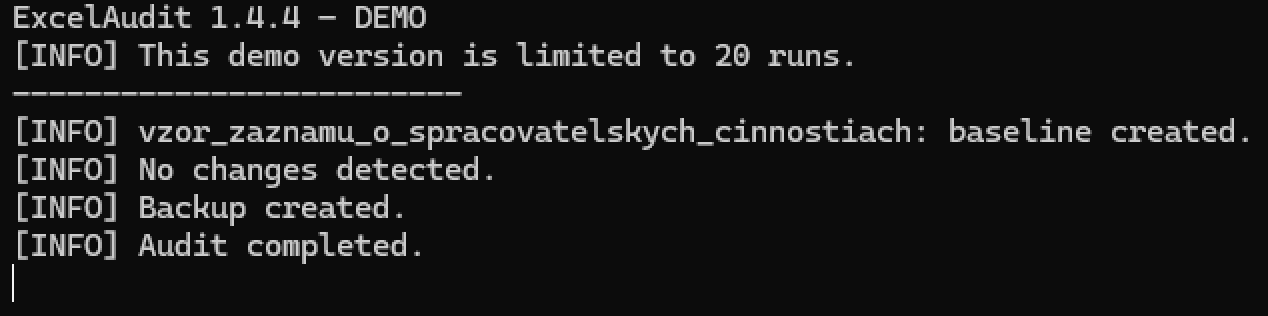
Baseline created for tracking Excel file changes
Detected changes recorded in the audit log

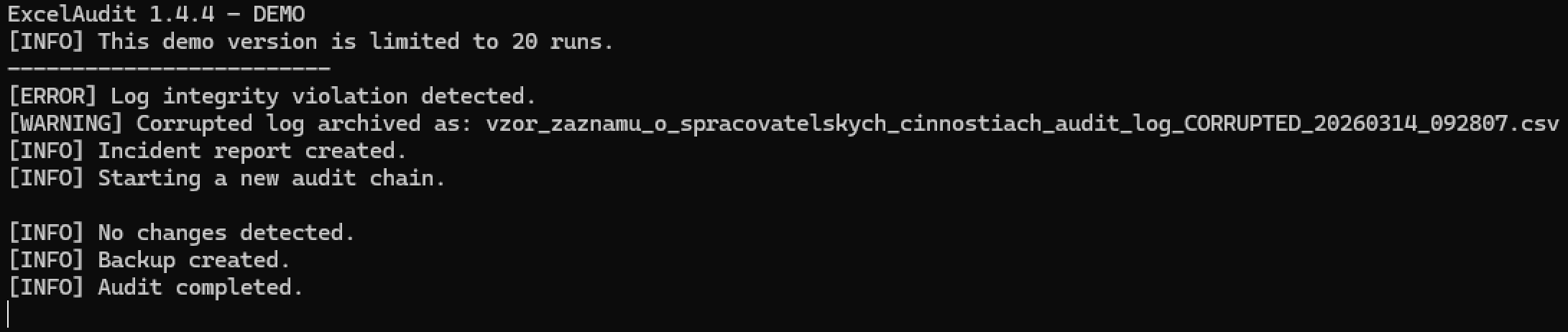
Audit log integrity check detecting modification issues
© 2026 Robert Krecmer – ExcelAudit