Find what changed in your Excel file (audit trail)
Track spreadsheet changes and keep a reliable record of what was modified over time.
Without an audit trail, spreadsheet updates can be difficult to review, verify, and explain later.
Download Demo
Try ExcelAudit on your own Excel files.
MacOS demo Windows demoRuns locally. No installation. No cloud.
No data leaves your device.
A spreadsheet audit trail helps you understand how data changed over time. Instead of relying on memory or manual review, you can keep a structured record of detected spreadsheet modifications.
Why Spreadsheet Audit Trails Matter
- Important edits can be missed
- Old values are often overwritten
- Shared files may change without explanation
- Manual review takes time and can be unreliable
What a Spreadsheet Audit Trail Should Show
A practical spreadsheet audit trail should make it easy to review what changed and where those changes happened.
- Modified cells
- Old and new values
- Sheet, row, and column references
- A clear record of detected changes
How ExcelAudit Helps
ExcelAudit helps create a spreadsheet audit trail by recording modified cells and preserving detected updates in a structured format. This makes spreadsheet review easier and more repeatable.
It is useful whenever you need better visibility into spreadsheet changes without relying on macros, manual version checking, or cloud-based tools.
Baseline created for tracking Excel file changes
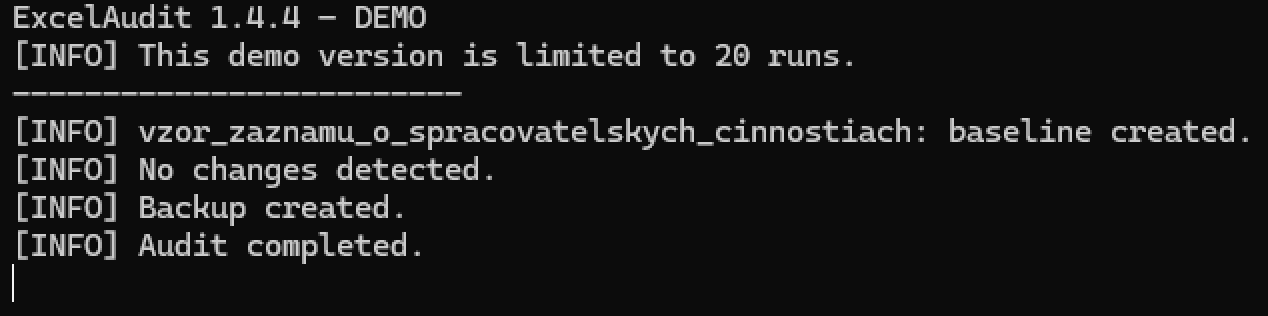
Detected changes recorded in the audit log

Audit log integrity check detecting modification issues
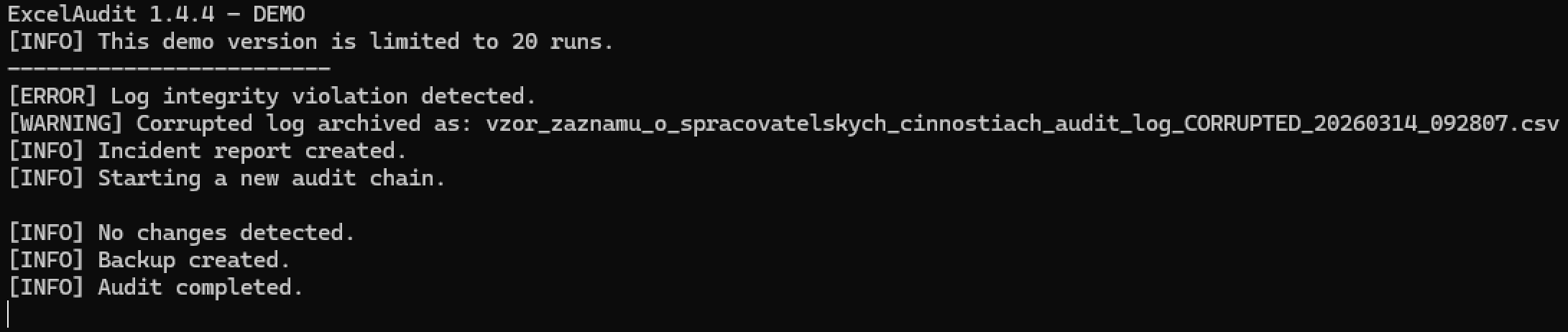
Related ExcelAudit Pages
Tried the software?
If you used the demo and have any feedback, I’d genuinely like to hear it.
And if there’s another Excel-related problem you wish a simple local tool could solve, feel free to mention that too.
You can reach me at:
© 2026 Robert Krecmer – ExcelAudit